
Official Kirabet guide for players in the Maldives: the “User Login” and “Forget Password” windows on kira222.com, explained from the real screens. Jump to reset your password or get login help.
Username or e-mail · Reset by e-mail · Same account on web, mobile and app · 18+
Published by Kirabet for players in the Maldives, this guide explains the “User Login” and “Forget Password” windows on kira222.com. You can sign in with your username or the e-mail address registered on your account, or use Can’t log in? to request a password reset.
Interface labels are taken from Kirabet’s login and password-reset windows. Account rules are summarised from the terms and conditions. Troubleshooting suggestions are general advice and are marked as such. Your Kirabet login is the same on the website, the mobile site and the Kirabet app. No account yet? Start with the registration guide; do not register a second account to get around a login problem, because the terms allow one account per person.
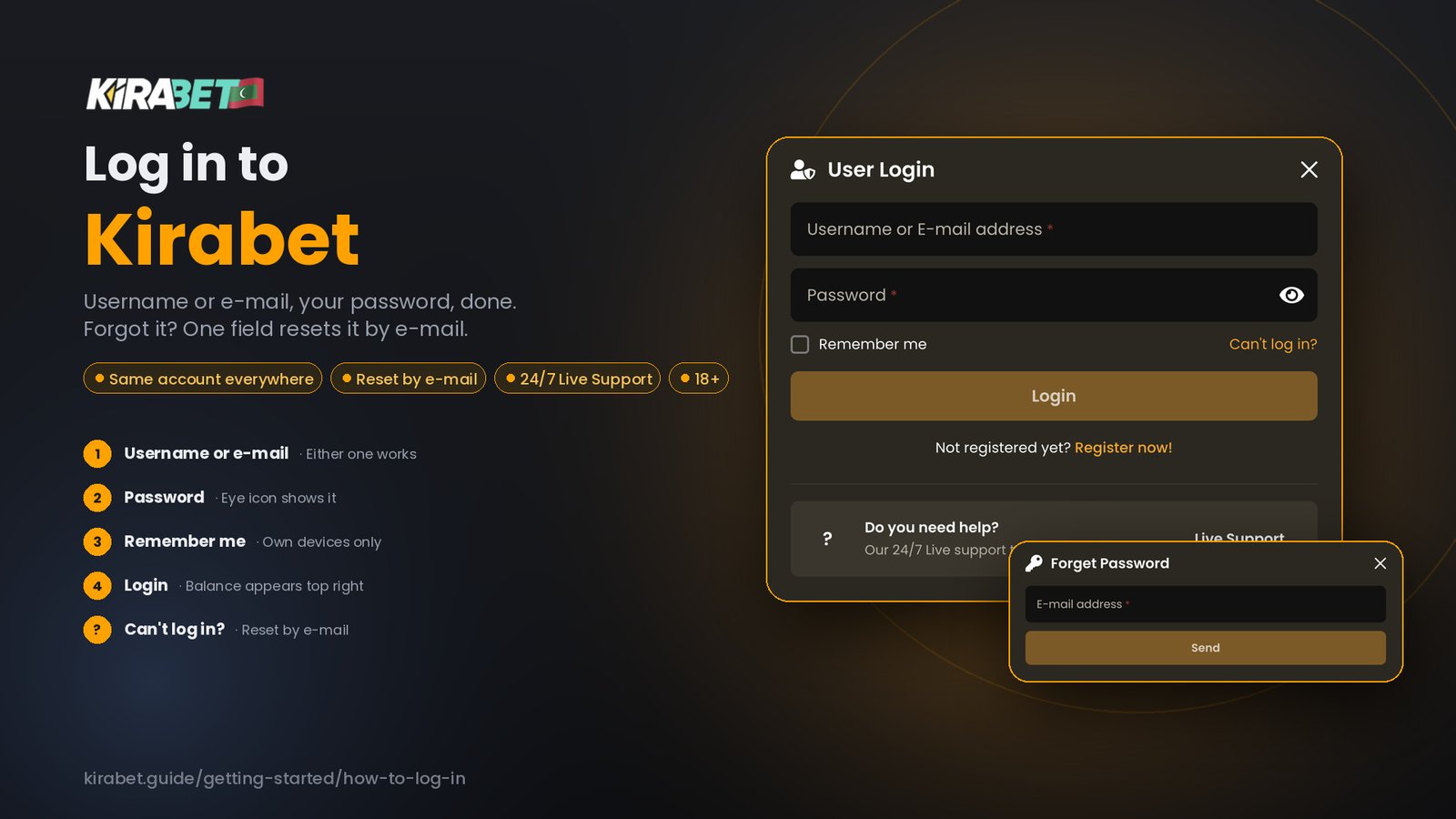
Tap Login on the site, or use the direct link above, and the window opens over the page you were on. It contains two input fields, a Remember me option, a Login button, and links for password recovery (Can’t log in?), registration (Register now) and Live Support.
Login happens on kira222.com. This guide explains the window; it never asks for your password, and you should not type it anywhere other than the Kirabet site or app.
| Element | What it is | How to use it |
|---|---|---|
| Username or E-mail address | One field that accepts either your username or the e-mail registered on the account | Check for accidental spaces or capitals; if you cannot remember the username, try the e-mail |
| Password | Your account password; the eye icon reveals it | Reveal it once before selecting Login if a phone keyboard may have changed it |
| Remember me | An optional checkbox | Leave it unticked on shared devices |
| Can’t log in? | Opens the Forget Password window | Use it to request a password reset by e-mail |
| Register now | Opens the registration form | Only if you have never had a Kirabet account |
| Live Support | Opens chat from inside the window | Use it for account access problems the reset does not solve |
The request is tied to the e-mail address on the account. If you no longer have access to that mailbox, use Live Support from the site; do not register a new account.
Quick reference first; the cards below give the detail.
| Problem | What to do |
|---|---|
| Forgot your username | Enter the e-mail address registered on the account in the same field |
| Password rejected | Reveal it with the eye icon; check spaces and capitals; then use Can’t log in? |
| Forgot your password | Can’t log in? → enter the registered e-mail → Send |
| No access to the registered e-mail | Live Support from the Kirabet site; do not create a new account |
| Login window does not open | Reload, use the direct login link, or try the mobile site or app |
| Message about the account rather than the password | Live Support, not a reset |
The “Username or E-mail” field also accepts the e-mail address registered on your account. Try that address with your password. If neither works, use Can’t log in? or Live Support.
Reveal the password with the eye icon and check for spaces or capitals. Read any message the window shows before assuming the password is wrong; if it mentions the account rather than the password, contact Live Support instead of resetting.
The reset is sent to the address on the account, so it cannot help here. Contact Live Support through the Kirabet site for help with account access. Do not create another account to replace the existing one.
General advice: reload the page or use the direct login link above. If the site does not load at all, try the mobile site or the app. Balance or payment questions after a successful login belong on the payments pages, not here.
On the mobile site the login window fills the screen; the fields and links are the same as on desktop. The Kirabet app uses the same username and password as the website. If you installed the app and cannot sign in, use exactly the details you use on the site; if you have forgotten the password, request a reset from the website first. Install guides: Android and iPhone.
Kirabet’s terms place responsibility for login details on the account holder and treat anything done with your username and password as done by you. The following precautions reduce avoidable exposure of those details.
If you think someone else has used your account: request a password reset from a device you trust, then contact customer support from the site.
Yes. The first field accepts either the username you chose at registration or the e-mail address registered on the account.
In the login window select Can’t log in?, enter the e-mail address registered on your account and select Send, then follow the e-mail Kirabet sends to that address.
It is an optional checkbox in the login window. Leave it unticked on a device that is not yours; on your own device it is your choice.
Yes. The app uses the same username and password as the website; there is no separate app account.
The User Login window shown in this guide has a username-or-e-mail field and a password field. It does not show a code field.
Contact Live Support through the Kirabet site for help with account access. Do not create another account to replace the existing one.
Staying signed in makes it easier to play more often than you meant to. A 7-day cooling-off period and self-exclusion can be requested from Kirabet Live Support, and the responsible gambling page explains how. Betting is for adults only.